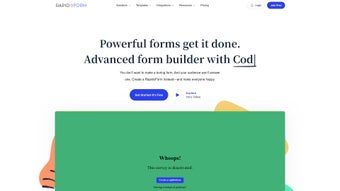

Download RapidoForm – Innovative Form Builder, Free Trial, Secure Surveys
Overview
RapidoForm is a cloud‑based, AI‑enhanced form creation platform that lets anyone—from marketers to educators—design professional surveys, quizzes, and data‑collection forms without writing a single line of code. The heart of the product is a modern drag‑and‑drop builder that instantly visualises every element you add, whether it’s a simple text field, a rating scale, or a complex conditional branch. What truly separates RapidoForm from generic competitors is its intelligent backend: once respondents submit answers, the system automatically categorises responses, runs sentiment analysis, and generates visual reports that can be exported with a single click. The AI engine also offers real‑time translation for free‑text answers, allowing global audiences to participate in their native language while you receive a unified data set.
Security is baked into every layer of RapidoForm. All data travels over SSL/TLS encryption, and the platform complies with GDPR, HIPAA, and other major privacy frameworks. Users benefit from regular, automatic updates on the secure cloud infrastructure, meaning there’s never a manual patch to apply. The subscription model includes a 14‑day free trial that unlocks every premium feature, giving you a risk‑free opportunity to test the full capabilities before committing to a paid plan.
From a business perspective, RapidoForm offers white‑label theming that lets you replace default colours, logos, and fonts with your own brand assets, delivering a seamless experience to respondents. Collaboration tools enable multiple team members to work on the same form simultaneously, complete with role‑based permissions that restrict editing, reviewing, or viewing rights as needed. Whether you need to capture leads for a sales funnel, assess employee satisfaction, or run a technical coding interview, RapidoForm provides a scalable, secure, and intuitive environment that turns raw data into actionable insight in minutes.
Key Features of RapidoForm
- Drag‑and‑drop form builder with real‑time preview.
- Voice input fields that capture spoken answers and convert them to text.
- Advanced skip logic and conditional branching for personalised respondent paths.
- White‑label theming: custom colours, logos, and fonts to match your brand.
- AI‑driven data sorting, sentiment analysis, and automatic report generation.
- Built‑in transcription and translation for multilingual surveys.
- Media handling: embed images, videos, and audio clips directly inside forms.
- Collaborative code editor for live coding interviews and technical assessments.
- Secure sharing options: direct link, embed code, or platform‑wide participant recruitment.
- Compliance with GDPR, HIPAA, and other data‑privacy regulations.
Beyond the bullet list, each feature is engineered to reduce friction and maximise insight. The drag‑and‑drop builder eliminates the need for HTML knowledge, while the voice input capability expands accessibility for users who prefer speaking over typing. Conditional branching empowers you to create dynamic journeys that adapt to each respondent’s previous answers, increasing completion rates and data relevance.
The AI module works silently in the background: once a form is live, it continuously analyses incoming data, flags outliers, and suggests visual dashboards tailored to your KPIs. Transcription and translation services cover over 30 languages, ensuring that language barriers never compromise data quality. Media embedding turns static questionnaires into engaging experiences, and the collaborative code editor transforms the platform into a lightweight IDE for technical hiring processes.
Finally, the robust security framework guarantees that all collected information remains encrypted, auditable, and fully compliant with the strictest regulatory standards, making RapidoForm a trustworthy partner for any organisation that handles sensitive data.
Installation, Usage, and Compatibility
Because RapidoForm is delivered as a Software‑as‑a‑Service (SaaS) solution, there is no traditional download or installation step. New users simply visit the official website, click “Sign Up,” and complete a short registration form that includes email verification. After confirming the address, the platform grants immediate access to a personalised dashboard where an onboarding wizard walks you through the creation of your first form, recommends template selections based on industry, and explains how to add custom fields.
The interface is fully responsive, meaning you can design forms on a desktop browser and instantly preview how they will appear on iOS, Android, or any mobile device. All major browsers—Chrome, Firefox, Safari, and Edge—are supported without the need for plug‑ins. For on‑the‑go management, RapidoForm offers native mobile applications for both iOS and Android. These apps provide real‑time notifications, allow you to edit forms, and let you review responses directly from your smartphone or tablet.
Compatibility extends beyond the end‑user experience. RapidoForm integrates seamlessly with popular productivity stacks through Zapier, Webhooks, and a well‑documented REST API. You can push submission data to CRM platforms such as Salesforce, HubSpot, or Zoho, feed analytics tools like Google Data Studio, or store raw results in cloud databases for custom reporting.
Role‑based permissions let administrators assign editor, reviewer, or viewer rights, ensuring that sensitive data is only accessible to authorised team members. Because the service runs on secure cloud servers, updates, security patches, and new feature rollouts are applied automatically, removing any maintenance burden from your IT department. In short, RapidoForm delivers a frictionless, cross‑platform experience that works wherever your team and respondents operate.
Pros, Cons, FAQ, and Conclusion
Pros
- Intuitive drag‑and‑drop interface reduces learning curve.
- AI‑enhanced analysis saves time on data cleaning and reporting.
- Voice input and multilingual support broaden respondent reach.
- White‑label options enable full brand control.
- Secure, GDPR‑compliant hosting protects sensitive data.
- Responsive web app works on any device; native iOS/Android apps add mobility.
- Robust integration ecosystem via Zapier, Webhooks, and open API.
Cons
- Subscription pricing may be high for very small teams.
- Advanced AI features are only available on higher‑tier plans.
- No offline desktop client for users who prefer local installations.
- Complex skip‑logic can become difficult to manage in very large forms.
- Limited export formats for raw data (CSV and Excel only).
Frequently Asked Questions
Below you’ll find answers to the most common questions prospective users have about RapidoForm. These FAQs are written to help you quickly determine whether the platform meets your specific workflow, security, and integration requirements.
Can I use RapidoForm for free?
Yes, RapidoForm offers a 14‑day free trial that includes full access to premium features. After the trial, you need to choose a paid subscription to continue using the platform.
Is my data stored securely?
All data is transmitted over SSL/TLS encryption and stored on GDPR‑compliant cloud servers. RapidoForm also provides regular security audits and supports two‑factor authentication for added protection.
Can I embed a RapidoForm survey into my WordPress site?
Absolutely. After publishing a form, RapidoForm generates an iframe embed code that works seamlessly with WordPress, Joomla, Drupal, and any site that accepts HTML snippets.
Does RapidoForm support multilingual surveys?
Yes. The platform includes built‑in translation and transcription services for over 30 languages, allowing respondents to answer in their native tongue while you receive unified data.
Can I integrate RapidoForm with my CRM?
Integration is possible via Zapier, native webhooks, or the open API. You can push new submissions directly into Salesforce, HubSpot, Zoho, or any custom CRM solution.
Conclusion & Call to Action
RapidoForm stands out in a crowded market of form builders by marrying a frictionless, drag‑and‑drop design experience with powerful AI‑driven analytics, voice capture, and multilingual capabilities. The platform’s white‑label theming and robust security measures make it a solid choice for enterprises that need to protect sensitive data while presenting a brand‑consistent experience to respondents. Although the pricing tiers may be a consideration for very small teams, the breadth of features—including advanced skip logic, collaborative coding, and deep integration options—delivers a clear ROI for organisations that rely on regular data collection. The 14‑day free trial removes any barrier to entry, letting you explore every capability without commitment. If you’re ready to modernise your survey workflow, streamline data analysis, and empower your team with a secure, cloud‑first solution, now is the perfect moment to give RapidoForm a try.
Start your free trial today and experience the future of interactive forms.
Review Summary
Pros: intuitive UI, AI analytics, voice & multilingual support, white‑label branding, strong integrations.
Cons: price tier for small teams, limited offline mode, complex skip‑logic management.



.png)



